
The making of Don Matrelli’s Legacy, a mod for Grand Prix Circuit
Part I: the reverse engineering
Some weeks ago I released an expansion for the only Formula 1 game I ever liked: Grand Prix Circuit (GPC), a 38-year-old work by Distinctive Software1. This project was by far my most ambitious to date: it took more than two months and required learning the basics of many disciplines, but I’m very satisfied of how it turned out.
This post series will tell how this mod, Don Matrelli’s Legacy, came to be.
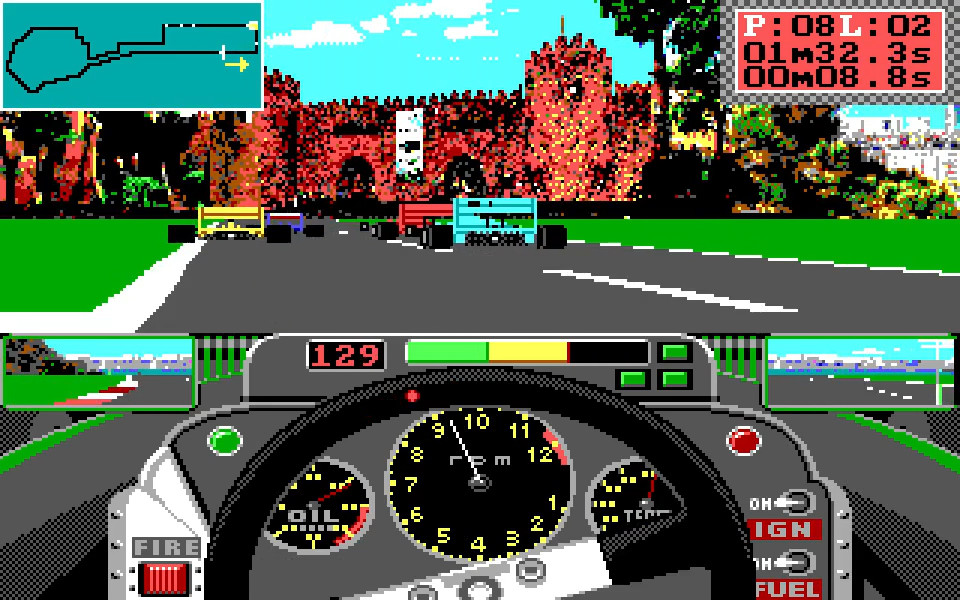
Gleefully falling into the rabbit hole
I had not played GPC for decades and the inspiration came by chance. I was toying around with the Stressed resource editor for Stunts, looking at a partially-built new vehicle. Looking at the cockpit sprites, I remembered reading somewhere that for such bitmaps Stunts had kept the same image format as its predecessors, Test Drive and GPC. It was unlikely that the cockpits of the cars in those games could be used as base of the creation, but that day I felt more inclined to do experiments rather than pixel art.
The 2D asset files of Stunts are stored in files with extension PVS and PES (Packed VGA/EGA shapes), both of which Stressed is able to open. The older GPC offers instead PES and PCS files: promising. I tried to open a PES file from GPC and got an error of invalid compression magic. It seemed I had a small riddle to solve.
I set up a workspace for the reverse engineering work and, with the limited free tokens still available, I launched Qwen over GPC’s main executable, called GPEGA.EXE. The datafile compression algorithm, a simple RLE scheme, quickly fell under the blows of the LLM: soon I could compile a freshly-baked piece of slop that could unpack the PES files on the fly. Yet another adventure made trivial by modern technology, but the story was just at the beginning.
I opened some GPC datafiles: no error message any more and a list of sprite names read out from the file header. However, when I tried to open the individual bitmaps, instead of the familiar shapes of cars and circuits I got mysterious blobs of pixels. And yet, there seemed to be a method in that folly, and I got a first illumination when analyzing the sprite named map_ in one of the track files:
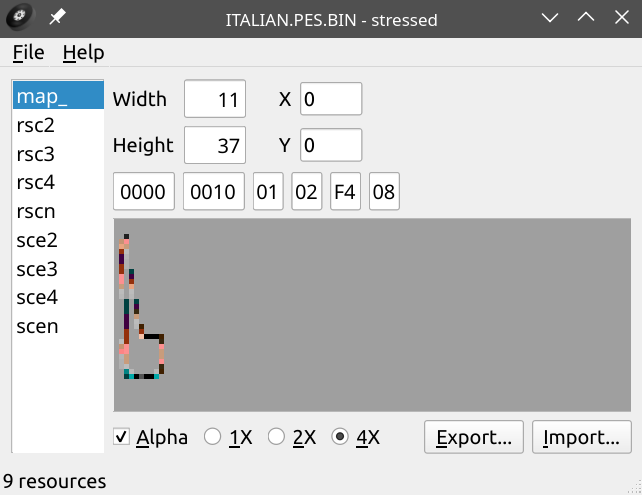
As distorted as it was, the image was clearly resembling GPC’s minimap of the Monza circuit:

Qwen was not able to figure out how to process the image above to get the one below: finally an interesting challenge for the human-in-the-loop. It did not take much to realize that Stressed was reading the image as if it were in 256 colors, 1 byte per pixel. EGA has 16 colors, so naïvely one can think it uses only half byte? But no, the track bitmap in Stressed was horizontally compressed by a factor 8, so the format had to be one bit per pixel. I adjusted the code accordingly and obtained a correct, albeit black-and-white, depiction of the Monza track.
Promising, but where are the color info stored? Finding out took a lot of time, especially since I continued to interact with the LLM much past the point it stopped producing good insights. I finally stumbled into the solution by plotting the data past the declared bitmap size. The patterns started to make sense, and after some experiments, an image from the Monaco circuit allowed me to solve the puzzle.


If one is familiar with color models, it’s easy to recognize that the four stacked black-and-white versions of the Monte-Carlo scenery are like the colored plates of an old printing process: as it turns out, the first of them determines whether the “blue” bit of the corresponding pixel is active, the others control the green, red and brightness bit respectively. One could have guessed so immediately if one knows that the EGA card stores its video buffer in planar format, but it was a fun investigation.
After overcoming this obstacle, the rest of the PES format was easily figured out. The only remaining riddle was the meaning of a uint8[4] array associated with each sprite: the decoder was emitting the correct images when the array was {1, 2, 4, 8}, which was usually the case, but failed when the values were different. It turned out that:
- each array element map corresponds to one of the “color plates”, and determines which of the four EGA color planes (brightness, red, green and blue) such plate controls. For example, if the first element is 5 (0101 in binary) it means that the first color plate controls the “red” and “blue” bits of the image.
- the third element of the array is the only one to have, sometimes, the fifth bit set. This turns out to be a flag signalling that the image is stored in transposed format, which sometimes allows a better RLE compression.
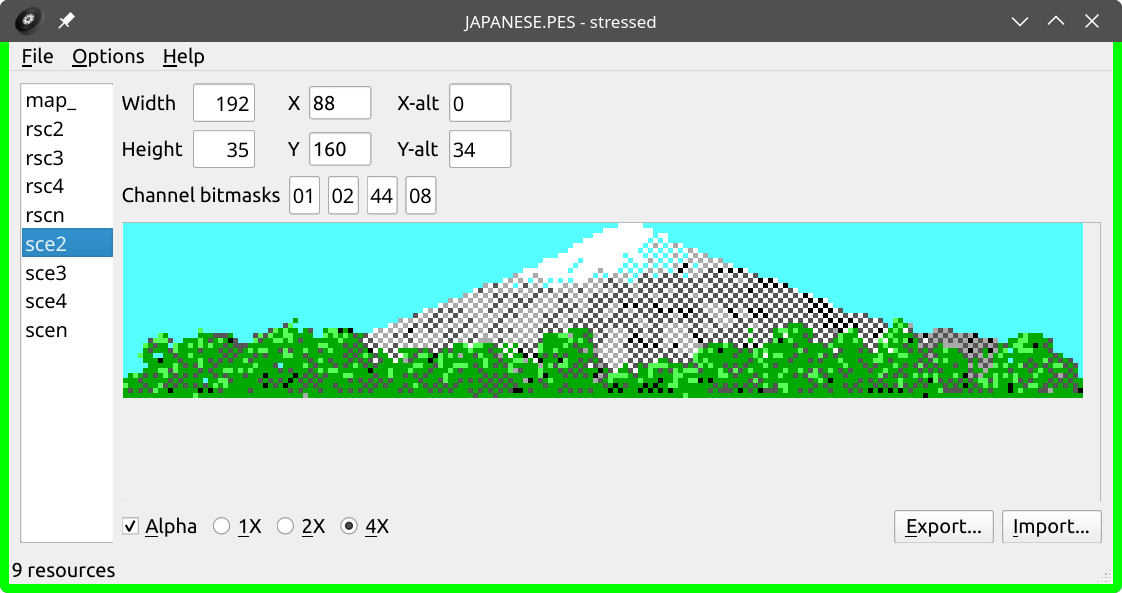
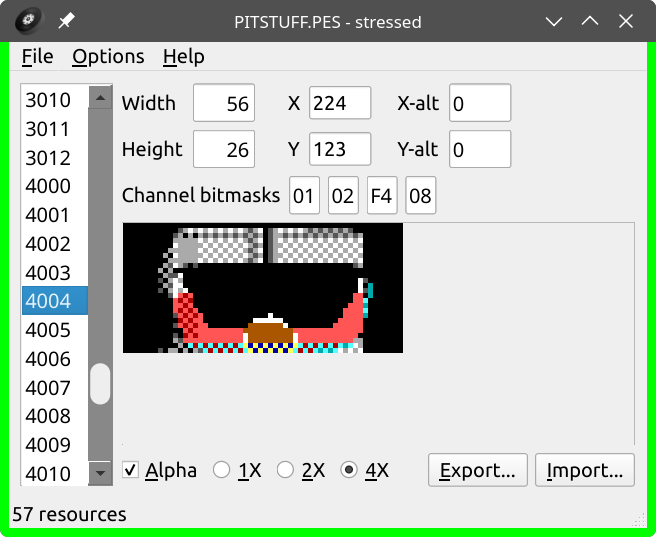
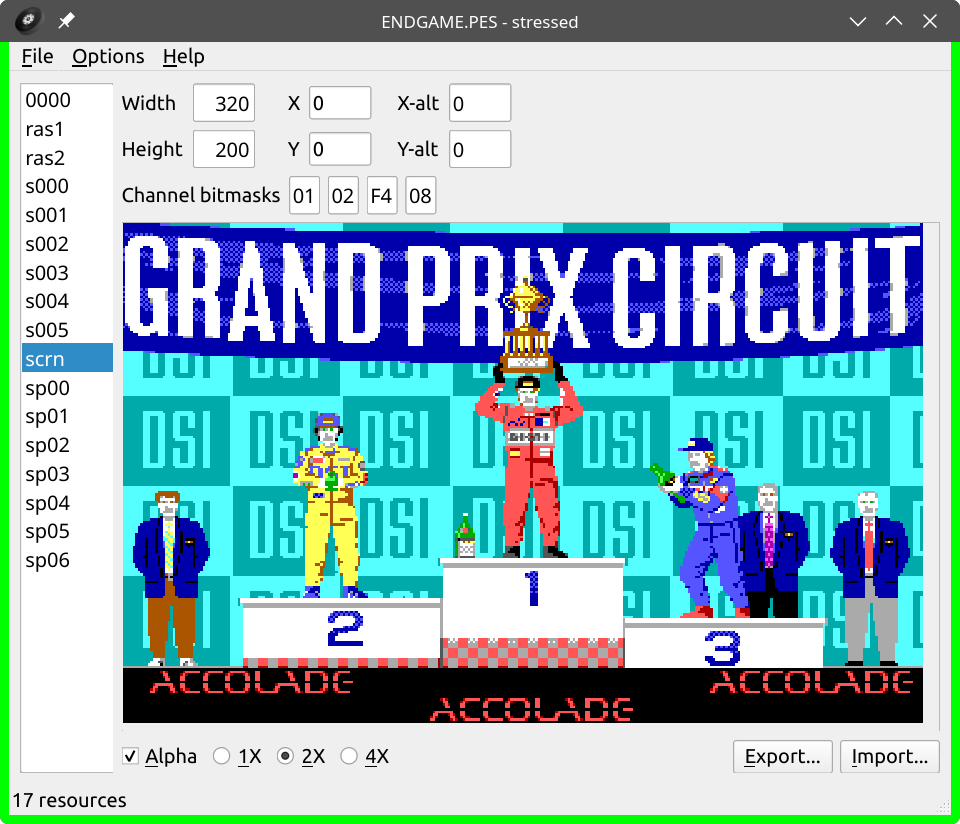
At the end, the Stressed resource browser could successfully process all the graphical assets of GPC. Opening and sorting out the .PES datafiles was like unlocking a treasure chest: all the familiar sprites of the game were now in display, ready to be admired, catalogued and… edited. Let’s see a sample of the work by DSI’s artists, John Boechler and Tony Lee.
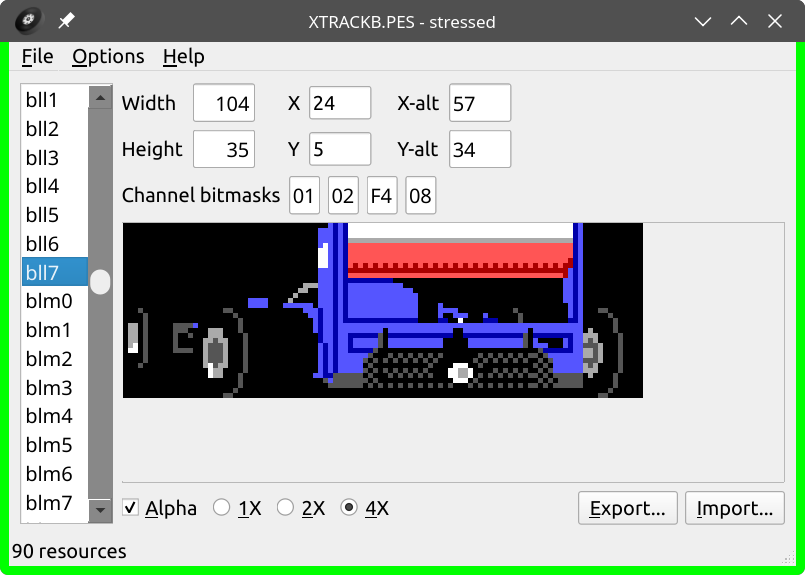
As a small perk, the handful of EGA textures of Stunts also became available:
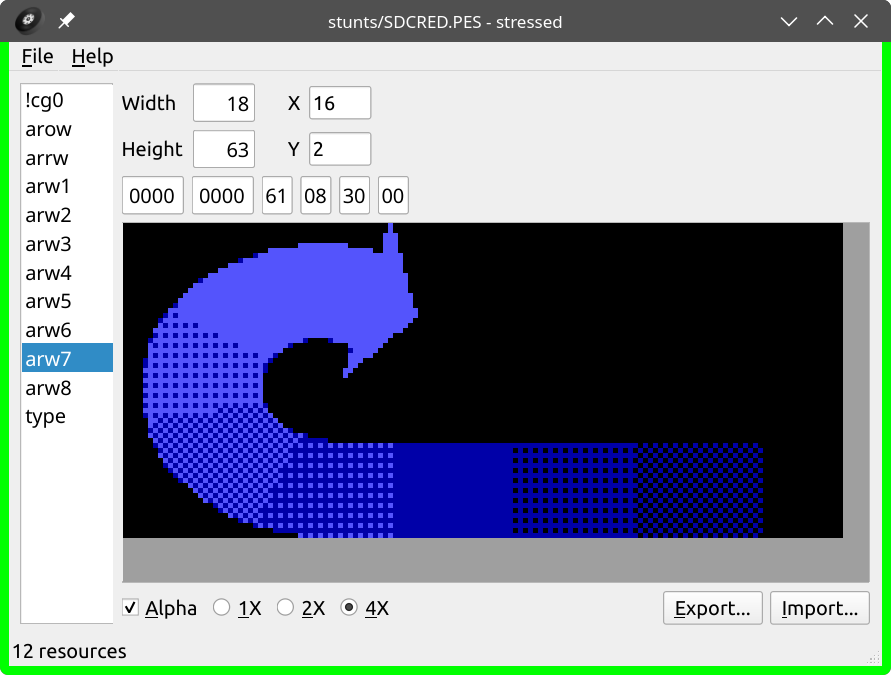
{61, 08, 30, 00}. Only the first two elements have a non-zero low nibble, so we have just two color plates, controlling the blue bit and the intensity bit respectively. Also, the sprite is stored in transposed order. Lots of tricks, but in this way the 8-frame animation of the DSI logo curling up on itself can be stored in a compact format.
A missing piece
When contemplating the eye candy contained in the .PES files, as well as the tempting “Import” and “Export” buttons, the wish to mod the game comes by itself. Indeed it’s very easy to replace a piece of scenario, or make one’s own title screen. But one big thing is missing: the track layouts.
GPC shares the usual architecture of 2.5D racing games: the features of a circuit – straights, curves and roadside elements – are not stored as polygons, and not even in a 2D matrix like in Stunts, but as a one-dimensional array of road segments. This is documented in many essays, like TTT in Detail and Lou’s Pseudo 3D Page.
Since there is a .PES file for each racing venue, I was hoping that such file would also contain the segment array, maybe encoded as row of pixels or as non-bitmap asset. But no such luck: the files only contain sprites. To ensure that the parser had not missed something, I even trying replacing one .PES file with another: no effect on the track path. Running at Hockenheim after overwriting GERMAN.PES with a copy of JAPANESE.PES was like being at a Japantag in Düsseldorf: everything around you looks Nipponic, but you are still on German asphalt.
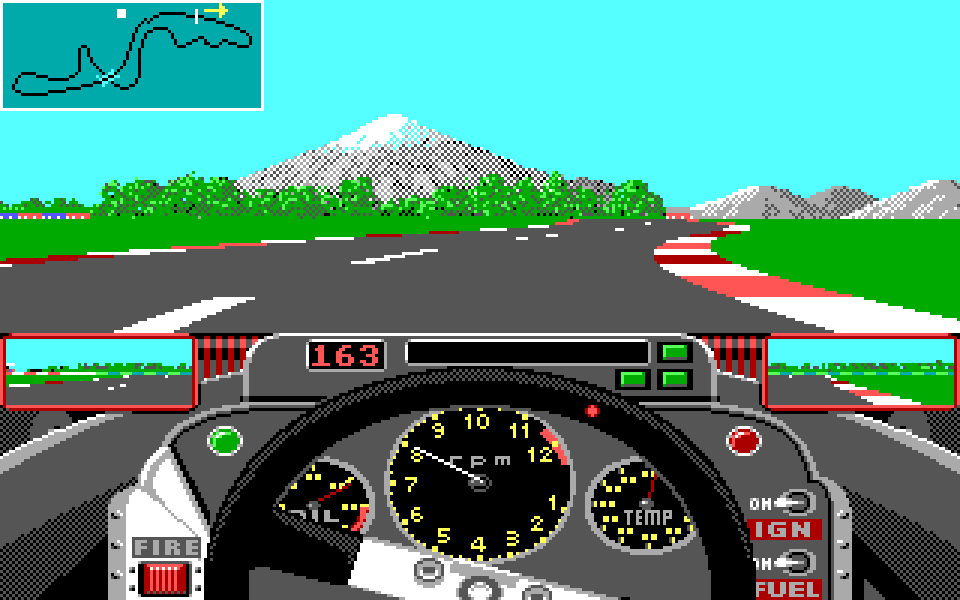
With the .PES files ruled out and the other datafiles not looking promising, I was almost certain that the track layouts were stored in the .EXE file, so I turned my attention to it.
The first annoyance is that GPEGA.EXE is a compressed executable, which unpacks itself at runtime. It’s a common trait of programs of that era: I had the same problem when tweaking Stunt Island and Stunts, and in both cases I was able to procure an uncompressed version of the program. But no such luck this time: I unleashed the LLM on the decompressing routine, trying to invert it, but after some hours of failed attempts I had to give up. Only much later I found out that Grand Prix Circuit uses Microsoft Exepack, for which extractors are available (e.g. this one by developer Samuel Chevet). A piece of knowledge that could be useful in future, since Exepack is a widely used software.
The lack of a decompressor was not a big obstacle: I started the game in DOSBox and dumped the code and the data segment, obtaining everything I needed to start the reversing. GPC uses multiple code segments, but it seems there is a main one and the others are just auxiliary functions. Still full of AI optimism, I asked the model to analyze the codebase and find out where the track definitions were stored. The result were a couple of hours spent with the LLM coming up with random bunches of bytes, insisting that, yes, they must be the track, and, after hearing my skepticism, going to fish data at another random offset and repeating the sketch.
This route was not going anywhere. What was needed were brain power and old-style tools!
On the tracks of the tracks
The size of Grand Prix Circuit is not huge (87 KB in the EGA version) but fully reverse engineering it would have taken weeks. I only wanted to find the tracks, which had to be somewhere in the dumped data segment. But how to make sense of that wall of numbers? I needed to find a starting point, and soon I had an insight.


GPC plots the live positions of the cars on a minimap. Hence, there must be an array mapping the lap progress (a scalar index in the 1D array of track segments) onto a 2D position within the 88x37 boundaries of the map. Let’s assume the mapping is done with an array of struct {uint8 x; uint8 y;}: this means that the data segment must store somewhere a long list of byte pairs where the x ranges from 0 to 87 (0x57), the y ranges from 0 to 36 (0x24), and both change slowly. The good news is that such a pattern is easy to see in a color-aware hex editor, like Hexerator:
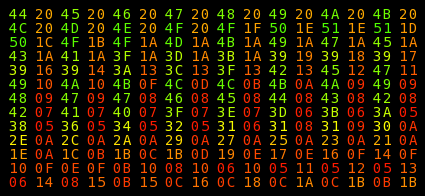
The bad news is that at the time I did not think to use such a tool, so the search was harder that it could have been. But the data segment is only 64 KBytes, about 100 screenfuls of hexdump in a typical terminal, and a promising dataset showed up soon. Let’s chart the numbers:
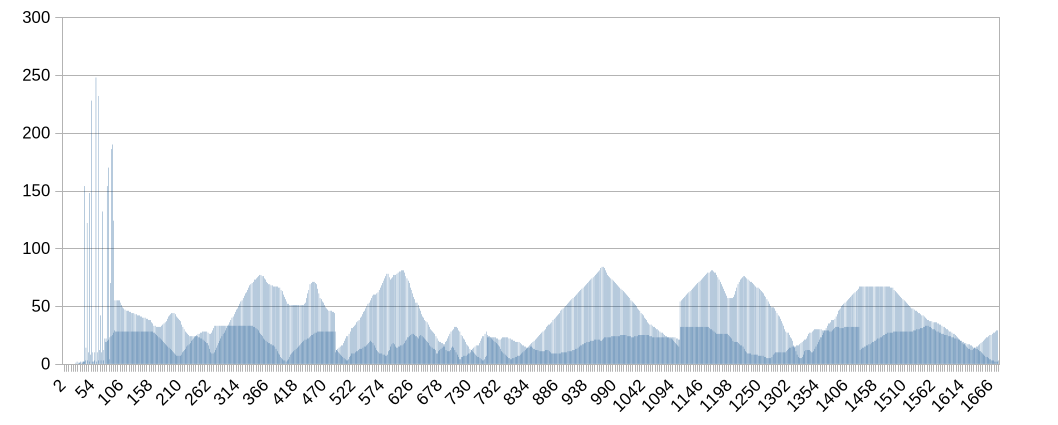
It’s pretty clear that there are two interleaved series, and they change continuously except for some hard breaks, maybe when we switch from one circuit to the following. But are these really the minimaps? The “mountain” between indexes 834 and 1094 caught my attention: I reshaped the data around it into a 2-column array, mapped them into a X-Y scatterplot and, after some adjustments, this image appeared:
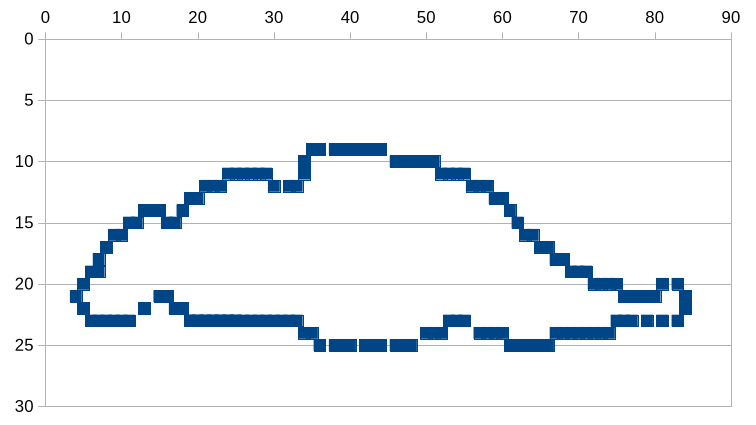
From here, things progressed fast. The coordinate list for the Canadian minimap starts at DS:15AA, and searching for this offset in the data segment led to an array of 8 pointers (DS:12FE, in green), which I quickly verified to be the start of the minimaps of the 8 circuits:
000012f0  e8 03 0c 00 2a 03 0a 00  84 03 0c 00 16 13 16 13
00001300  9a 14 aa 15 04 17 46 18  ba 19 be 1b 7c 1d 37 1c
Just before the array there’s a scalar variable holding the currently active element (at DS:12FC, in red), a pattern also seen in Stunts. I used radare2 to scan the code segment, looking for instructions writing into such address. Bingo:
14: fcn.000067ce ();
0000:67ce   8b 1e 88 02           mov      bx,     word [0x288]
0000:67d2   d1 e3                 shl      bx,     1
0000:67d4   8b 87 fe 12           mov      ax,     word [bx + 0x12fe]
0000:67d8   a3 fc 12              mov      word [0x12fc],  ax
0000:67db   c3                    ret
This gives DS:0288 as location of the index representing the current circuit: a very important variable! Searching for cross-references to this address revealed an array at DS:005A (pointers to the track names), as well as two other arrays whose meaning was harder to figure out:
00001f20  46 06 47 06 47 07 48 07  48 07 49 07 60 20 0b 26
00001f30  9d 27 5e 2b 17 2c 16 31  f9 31 99 36 24 38 8a 3d
00001f40  12 3f 82 46 bf 47 2a 4e  3d 4f 73 55 ce 26 87 2b
00001f50  3f 31 77 37 4d 3e ab 46  53 4e 36 56 ff 00 00 00
The array at DS:1F2C (green) contains pointer pairs, the one at DS:1F4C (red) single pointers. The first circuit, Brazil, is hence associated to the offsets 0x2060, 0x260B and 0x26CE. I looked at all these addresses but what I saw seemed to have no relationship with the track shape. You can look at the circuit map above: the lap starts with a short straight followed by curve to the right. I could not find a relationship with the data at DS:2060:
00002060  00 00 00 00 00 00 00 00  00 00 00 00 00 00 00 00  |................|
00002070  00 00 00 00 00 00 00 00  00 00 00 00 00 00 00 00  |................|
00002080  00 31 32 32 32 32 32 32  37 36 36 36 36 36 36 36  |.122222276666666|
00002090  36 36 36 36 36 36 36 36  36 36 36 36 36 36 36 36  |6666666666666666|
000020a0  36 36 36 36 36 36 36 36  36 36 36 36 36 36 36 36  |6666666666666666|
000020b0  36 36 36 36 36 36 36 36  36 36 36 36 36 36 36 36  |6666666666666666|
000020c0  36 36 36 36 36 36 36 36  36 3b 3b 3b 3b 39 39 39  |666666666;;;;999|
000020d0  39 39 39 39 39 39 39 39  39 39 39 39 39 3b 3b 3b  |9999999999999;;;|
000020e0  3b 38 3a 3a 3a 3a 3a 3a  3a 3a 3a 3a 3a 3a 3a 3a  |;8::::::::::::::|
000020f0  3a 3a 3a 3a 3a 3a 3a 3a  3a 3a 3a 3a 3a 3a 3a 3a  |::::::::::::::::|
00002100  3a 3a 3a 3a 3a 3a 3a 3a  3a 3a 3a 3a 3a 3a 3a 3a  |::::::::::::::::|
The bytes at DS:260B, surprisingly, seemed a copy of those above. What for? Surely DSI would not want to waste space after taking so much care about the sprite compression…
00002600  0c 0d 0c 0d 00 00 00 00  00 00 00 00 00 00 00 00  |................|
00002610  00 00 00 00 00 00 00 00  00 00 00 00 00 00 00 00  |................|
00002620  00 00 00 00 00 00 00 00  00 00 00 00 31 32 32 32  |............1222|
00002630  32 32 32 37 36 36 36 36  36 36 36 36 36 36 36 36  |2227666666666666|
00002640  36 36 36 36 36 36 36 36  36 36 36 36 36 36 36 36  |6666666666666666|
00002650  36 36 36 36 36 36 36 36  36 36 36 36 36 36 36 36  |6666666666666666|
00002660  36 36 36 36 36 36 36 36  36 36 36 36 36 36 36 36  |6666666666666666|
00002670  36 36 36 36 3b 3b 3b 3b  39 39 39 39 39 39 39 39  |6666;;;;99999999|
00002680  39 39 39 39 39 39 39 39  3b 3b 3b 3b 38 3a 3a 3a  |99999999;;;;8:::|
00002690  3a 3a 3a 3a 3a 3a 3a 3a  3a 3a 3a 3a 3a 3a 3a 3a  |::::::::::::::::|
The data at DS:26CE were different, but also puzzling.
000026c0  3a 3a 3a 3a 3a 3a 3a 3a  3a 3a 3a 3a 3a ff 78 7a  |:::::::::::::.xz|
000026d0  8b 8b 6c 0c 9b 9b 9b ab  ab ab ab ab ab bb bb bb  |..l.............|
000026e0  bb bb bb ab ab ab 9b 9b  9b 8a 88 86 83 81 82 93  |................|
000026f0  84 85 88 8a 8b 89 98 98  97 97 98 8b 8d 8e 8e 8e  |................|
00002700  8d 8d 8c 8a 88 86 96 95  95 94 94 94 97 8a 8c 8c  |................|
00002710  8c 9c 9c 9b 89 87 85 84  84 85 88 99 9a 8e 7f 6e  |...............n|
00002720  6c 5a 68 66 73 71 82 84  85 85 96 96 97 97 97 a7  |lZhfsq..........|
00002730  a7 a7 a6 a6 b5 b5 b5 b4  b4 b3 b3 b3 b4 b4 b4 b4  |................|
00002740  b4 b4 b4 a4 a4 96 99 9c  8e 8f 8e 8d 8c 8c 8b 99  |................|
00002750  98 97 96 95 94 85 84 85  96 97 98 9a 8e 8f 8f 8e  |................|
Using the hot-patching capability of the DOSBox debugger (command SM), I altered a couple of bytes in each array, but the Brazil circuit seemed not to change. Yet when I edited the pointer arrays DS:1F2C and DS:1F4C themselves, overwriting the first element (Brazil) with the sixth (Germany), the Brazilian track did turn into the Hockenheimring. So the pointers had to be somehow related to the layout. I ran more tests, slowly increasing the number of mangled bytes. Finally one of the experiments shed light: by patching the memory with an alternating pattern of (15, bb) pairs,
# Note that DS:2060 is the first pointer associated to the Brazilian track

SM DS:2080  00 15 bb 15 bb 15 bb 15  15 bb 15 bb 15 bb 15 bb
SM DS:2090  bb 15 bb 15 bb 15 bb 15  bb 15 bb 15 bb 15 bb 15
SM DS:20A0  15 bb 15 bb 15 bb 15 bb  15 bb 15 bb 15 bb 15 bb
SM DS:20B0  bb 15 bb 15 bb 15 bb 15  bb 15 bb 15 bb 15 bb 15
the straight at the start of the Jacarepaguá circuit was replaced with a sharp right curve:
The most important detail was the shape of the curbs, grooved as if they were made of T-shaped Tetris blocks. In Stunts, each byte encodes a piece of circuit about 62 meters long, and I had automatically assumed GPC used a similar scale. But here it was clear that the indentations on the kerbs, generated by the switch between 0x15 and 0xBB bytes, were much shorter than that. On top of this, 64 bytes of data had been changed but the resulting corner barely reached the middlepoint of the pit lane.
Both observations meant that each byte of the array corresponded to a much shorter segment, maybe 2-5 meters. This implied that the layout of the Brazilian track (real life length: 5.031 km) would occupy between 1000 and 2500 bytes. Now, let’s look again at the pointer pairs in the array at DS:1F2C. For Brazil they are (0x2060, 0x260B): a range of 1451 bytes which seems just about the right storage size. Looking at other pointer pairs, it turned out that for Monaco (3.337 km) define the shortest interval, those for Hockenheim (6.825 km), the longest.
Everything was clear, then: the array DS:1F2C contains pairs of pointers defining lap begin and end. It was time to reshape the whole track!
I’m gonna go build my own theme park
Armed with the power to edit the circuit at my leisure, I took the opportunity to answer a doubt I held for decades: can the McLaren MP4/4 run faster than 216 mph? It takes the car 3 seconds to go from 214 to 215 mph, and the same time to go from 215 to 216, but pressing the gas for other 20 seconds does not yield further speed increases. It seems that the limit has been reached, but what if we accelerated for even more time? No GPC circuit has a straight long enough to allow for that, but now one could be built.
I had randomly found out that byte 0x38 defined a “straight with parallel pit lane”: good enough. I plastered the whole Brazilian circuit with such byte, selected the practice mode, and pushed the up arrow for about one minute: lo and behold, the Honda RA16 engine did the impossible and sent the car at the unheard-of speed of 217 mph. I kept pressing till I was sure the real top speed had been reached. You can see a reenactment of the experiment in this video: it was recorded much later, on a fully modded track, but imagine it running on a plain straight with the landscape of Rio de Janeiro in the background.
The track buffer stores the circuit beginning not from the start/finish line, but from the back of the starting grid. After the car arrives at the last byte of the buffer, it is teleported back. However, what the driver sees is determined by the bytes past the current index, without ring-buffer behaviour. As a consequence, when the car is finishing the lap and approaches the starting grid, the “look-ahead” algorithm reads past the end of the buffer: that is why such zone must contain a copy of the start of the track definition.
If the content of the post-buffer zone is not identical to the buffer start, the player experiences a harsh transition. An example can be seen in the video above. Start at 0:59, when the car is approaching the starting grid: did you notice, at 1:03 (0:43.3 in-game time), how the gray tunnel ends too briskly? That was the result of a mistake, but one could use this phenomenon deliberately to create illusion effects.
The “dragster track” experiment was followed by more methodical work: determining all the possible types of track segment and their corresponding byte values. I proceeded as before, replacing entire sections of the circuit with copies of the same byte and noting down the effect. Not the fastest way, but the surreal results were enjoyable.
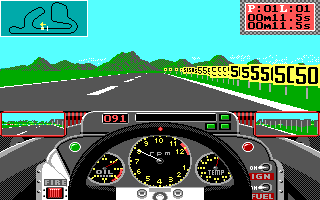
The encoding is documented in the enum TrackElement, defined here. The findings of the experiments were interesting, even more if compared with DSI’s later creation, Stunts.
- GPC features curve segments in 16 different degrees of sharpness. A curve is usually composed of 20 to 80 segments, allowing for extremely fine modelling. For comparison, Stunts only offers three possible curves: sharp 90°, wide 90° and a (buggy) chicane.
- Some bytes encode the signs preceeding a corner. Stunts instead generates road signs automatically based on the curve positions.
- Some bytes encode the start, middle and end of a tunnel. If they are used in the wrong order, the game creates galleries with particular visual effects.
- Start/stop signs and checkered floors can be freely spread along the track, leaving open the question of how the game defines the finish line (untested hypothesis: it might set it at the 34th byte of the track buffer, regardless of the scenario)
- The pit lane definition is the most complicated part:
- The entry and exit lanes are stateful: a variable keeps track of how much such lanes are horizontally separated by the main track; a
0x36byte increases this distance, a0x3Abyte decreases it. - The pit stop box proper is always displayed 64 units away from the main track.
- Hence, a well-defined pit lane requires 64 copies of the
0x36byte to create an entryway connecting the main track to the box, followed by the bytes defining the box zone, and then by 64 copies of the0x3Abyte to build the exit lane. - The whole package is introduced by a
0x37byte, whose meaning is yet to be decyphered.
- The entry and exit lanes are stateful: a variable keeps track of how much such lanes are horizontally separated by the main track; a
The valid values for the segment types are in the range 0x00–0x3B. Putting numbers outside such range produces various effects: sometimes regular track elements are created, sometimes visual glitches appear, sometimes the game crashes. The effect of byte 0x77 deserves to be shown: a curved tunnel, so sharp that not even a Ferrari at minimum speed can negotiate it.
The glitch is interesting because the standard track pieces do not feature curved galleries. If the game engine is capable of rendering them, why didn’t the developers put them to use, for example for Monaco’s tunnel? But maybe the feature was buggy and the developers decided to cut it out to save time.
There remained a minor point: the array at DS:1F42 determined the lap begin and end, but what about the other array, DS:1F4C? Charting the data and comparing them with the minimaps, they turned out to be values regulating the speed of the AI opponents.
How to build a car
All my desires concerning trackbuilding had been fulfilled and I had no intention to look for more: my plan was to deliver a minimal mod, just to show the potentialities: I’d ship a couple of tracks, a modified title screen, maybe change the names of the opponents (very easy to do). I had no wish to engage in further reverse engineering.
The plan changed when, like the Evil Queen from Snow White, I asked a question too much:
– LLM, LLM on the wall, what’s the first-ever Grand Prix Circuit mod of them all?
– Well, actually, since your project is not ready yet, I guess the answer is… CyclesMod.
Here’s my rightful retribution for not doing enough prior art research! But I was in for a nice surprise. Far from duplicating my work, the CyclesMod project by “Albertus82” offered its perfect complement, allowing to create custom cars. One could not have asked for a better discovery!
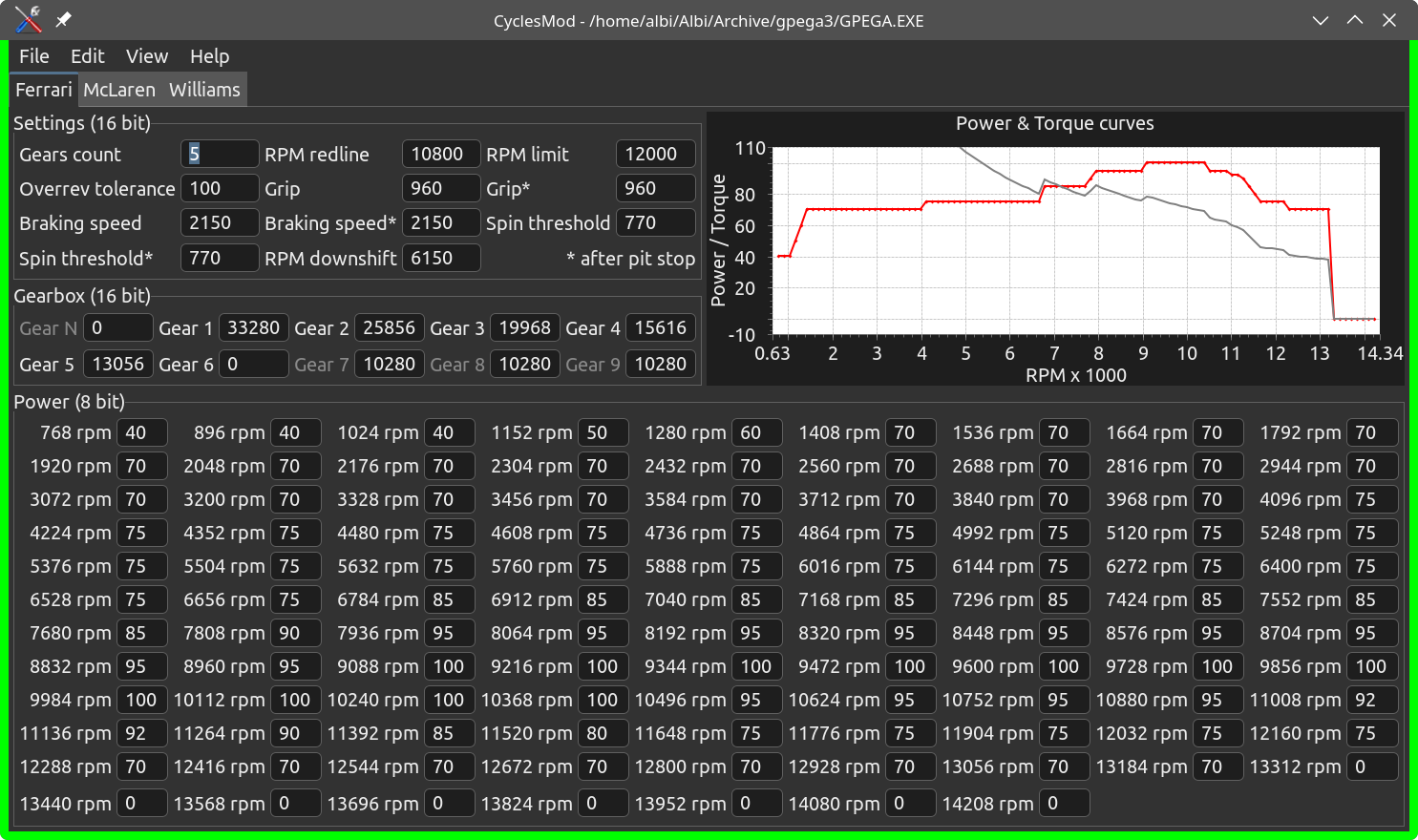
I used OpenCode to make my own vehicle editing program, almost completely derived from CyclesMod but with two changes to fit my needs. First, I had the code converted from Java to C++, for taste reasons2 but also to get an explicit definition of the vehicle data as struct. Secondly, while CyclesMod emits a modified GPEGA.EXE, I wanted an editor that only outputs the raw array containing the vehicle data, ready to be hot-patched into the memory.
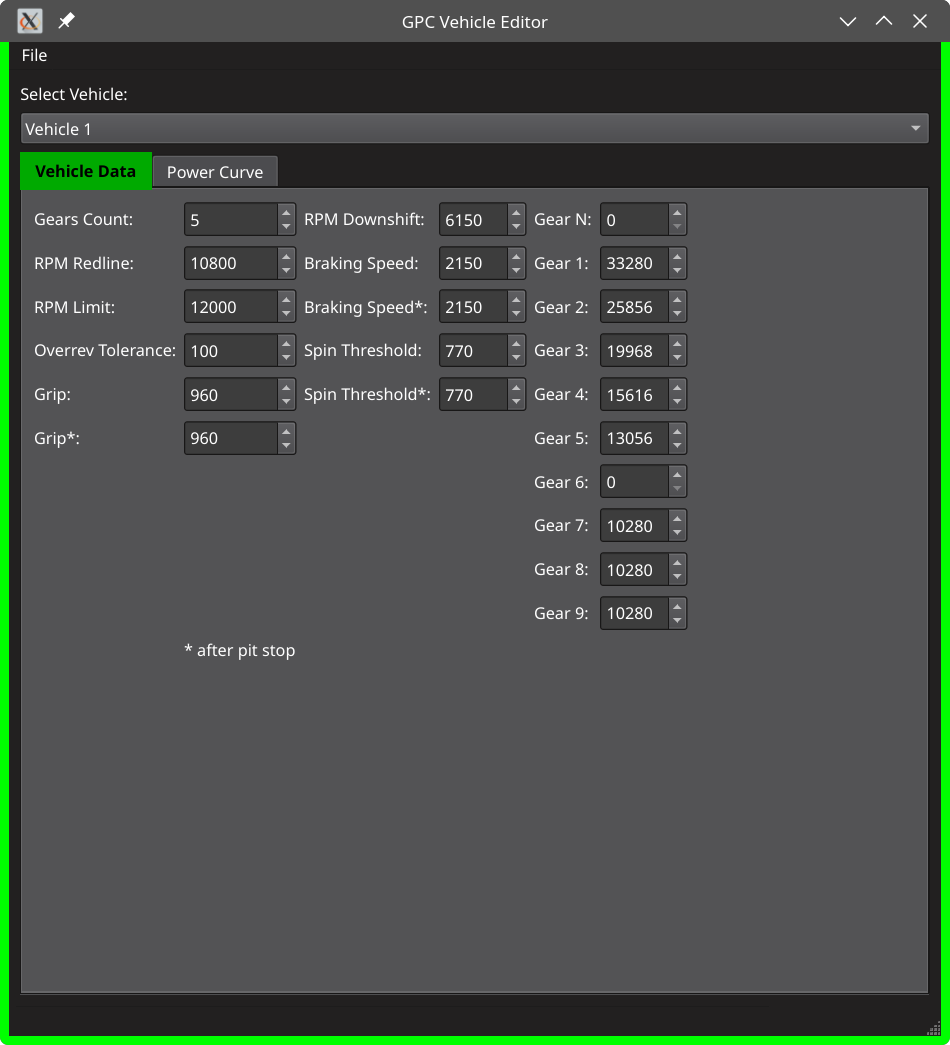
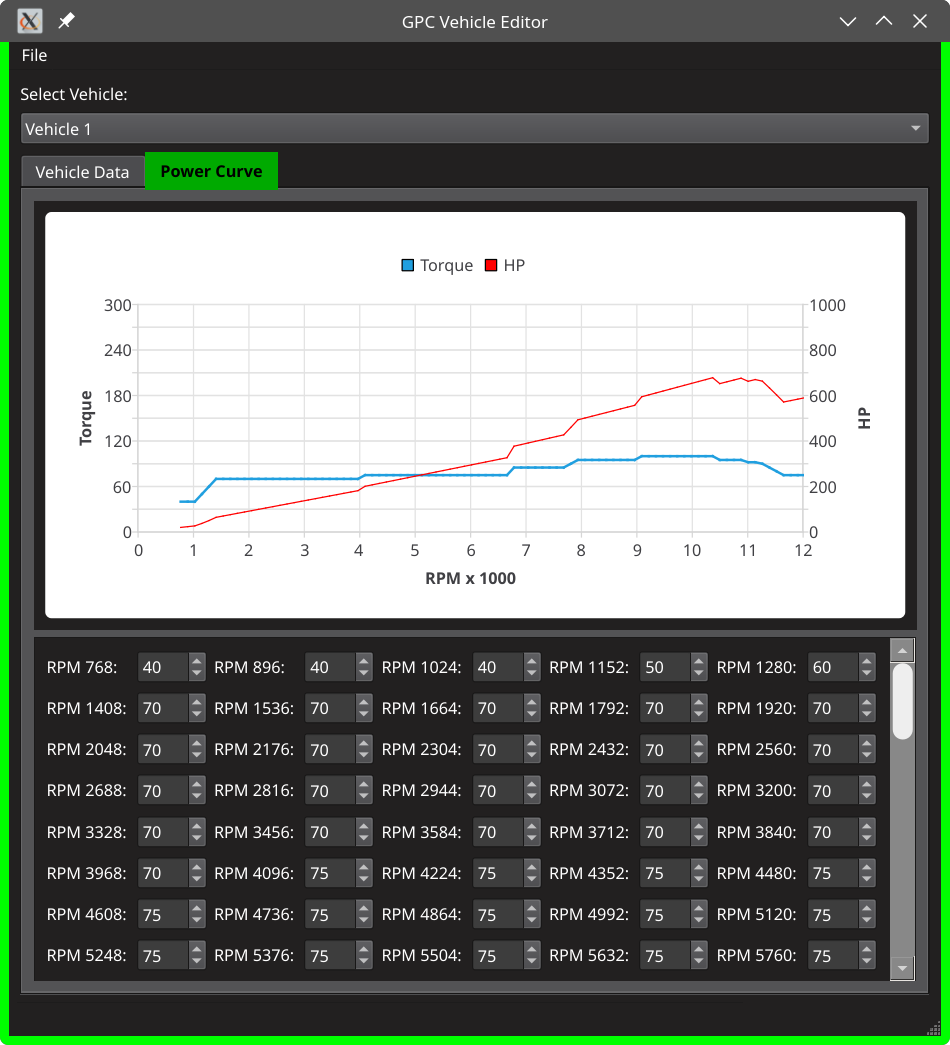
cyclesmod is much better, but my depiction of the power curve is the correct one.
End of Part I
At this point I had the tools to change all the relevant parts of GPC, and it would have been a waste not to take full avail of them. Instead of a proof of concept, I decided to develop a fully fleshed mod, changing almost every component I could lay my hands on3.
The hacking was mostly complete, but the bulk of the job was still ahead: creating new tracks, new cars and the complementary resources was a task that would not be completed in a night’s work. But with time and patience, it was doable.
To begin with, I chose a title for my mod: it would be named Don Matrelli’s Legacy.